
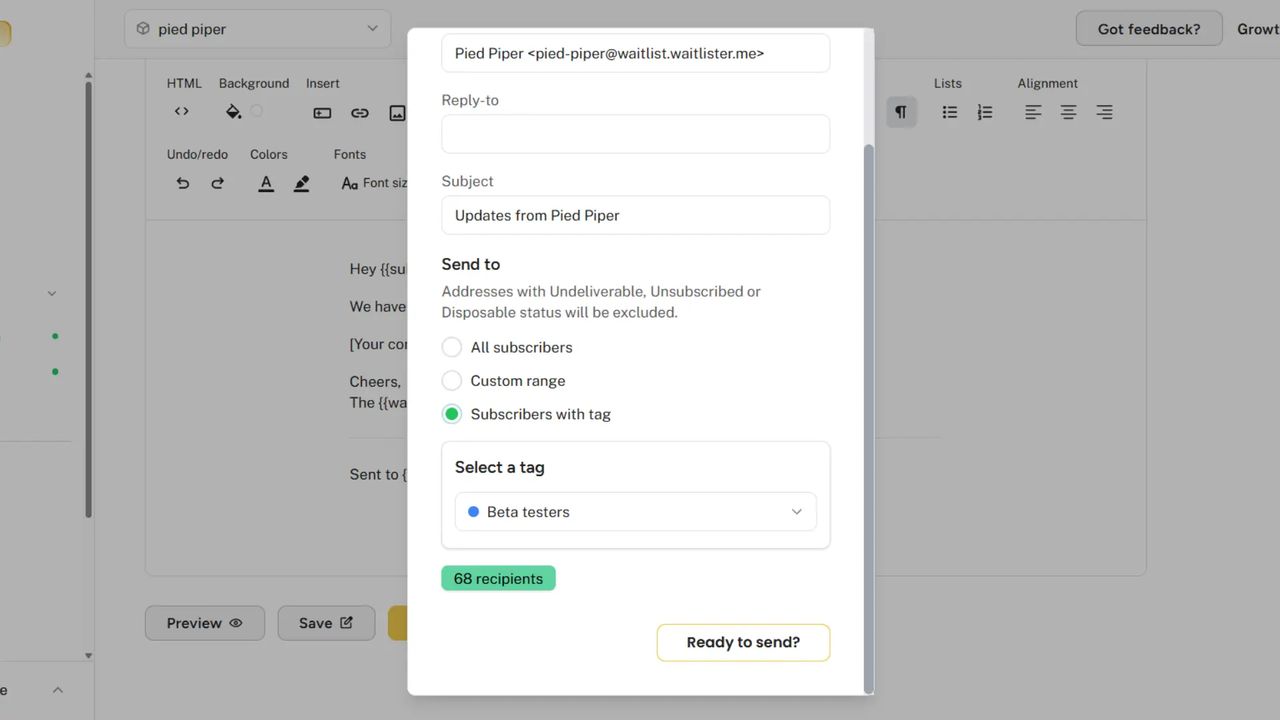
Subscriber tags are here. Organize your waitlist, segment your audience, and send targeted communications — all with a flexible tagging system.
What's Included
Tag Management
Create and organize tags for your waitlist.
- Custom Tags - Create unlimited tags with custom names
- Color Coding - Choose from 9 colors to visually distinguish tags
- Easy Editing - Rename or delete tags anytime
- Bulk Actions - Add or remove tags from multiple subscribers at once
Subscriber Organization
Apply tags to segment your audience.
- Multi-Tag Support - Assign multiple tags to any subscriber
- Quick Assignment - Add tags directly from the subscriber table or detail view
- Visual Indicators - See tags at a glance with colored pills
- Filter by Tag - Instantly filter your subscriber list by any tag
Targeted Broadcasts
Send emails to specific segments.
- Tag-Based Sending - Send broadcasts only to subscribers with a specific tag
- Recipient Preview - See exactly how many subscribers will receive your email
- Historical Record - Broadcast history shows which tag was targeted
Use Cases
| Tag | Use Case |
|---|---|
| Beta Testers | Early access users for new features |
| VIP | High-value subscribers for exclusive content |
| Enterprise | Business leads for targeted outreach |
| Referrer | Subscribers who've referred others |
| Event: Launch | Attendees from a specific campaign |
| Region: EU | Geographic segmentation for compliance |
Getting Started
Tags are available now on all plans. Head to your Subscribers page to create your first tag and start organizing your waitlist.