
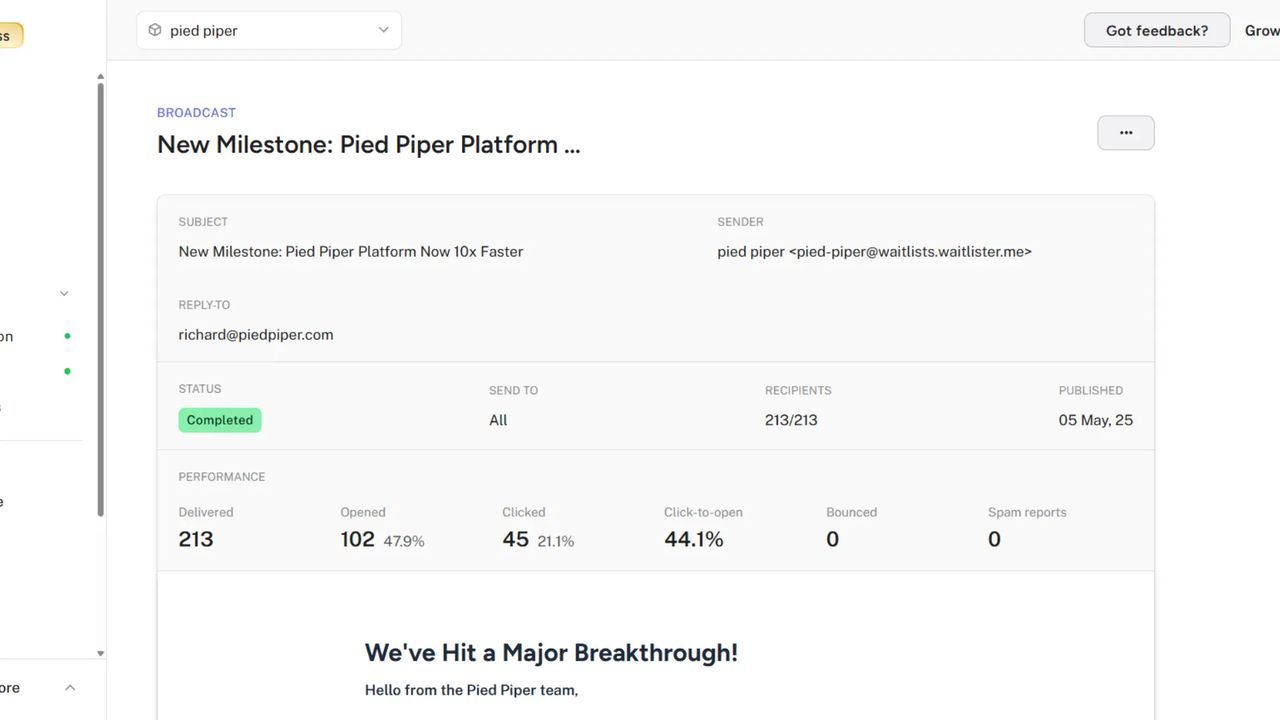
Email analytics are here. See exactly how your broadcasts and welcome emails are performing with detailed open and click tracking.
Performance Dashboard
Every broadcast and welcome email now shows a performance section with key metrics.
- Delivered — Emails successfully delivered
- Opened — Unique opens and open rate percentage
- Clicked — Unique clicks and click rate percentage
- Click-to-open — Percentage of openers who clicked
- Bounced — Failed deliveries with bounce rate
- Spam reports — Complaint tracking
High bounce or spam rates will show a warning to help you maintain list health.
Custom Domain Settings
If you're using a custom email domain, you can now control tracking in Settings → Domains → Email domain (available once your email domain is verified).
This gives you control over privacy and deliverability tradeoffs. The default Waitlister domain has tracking enabled automatically.
Getting Started
Analytics are enabled automatically for all new broadcasts and welcome emails. Visit any broadcast or your welcome email page to see the performance section.
For custom domains, head to settings to configure tracking preferences.