
GDPR-compliant waitlists with verified emails
Require email confirmation before subscribers join your waitlist. Every address is verified, consent is documented, and bots can't get through. Customizable confirmation email, configurable expiration, and seamless integration with referrals and welcome emails.
10,000+ founders run verified waitlists on Waitlister















Why your waitlist needs
email verification
Without double opt-in, anyone can submit any email. Here's what that leads to — and why verified-only lists outperform.
- —Fake emails and typos inflate your list with addresses that don't exist
- —Bots submit hundreds of garbage entries to farm referral points
- —Your emails bounce, which tanks your sender reputation with Gmail and Outlook
- —No documented consent — risky for GDPR, CAN-SPAM, and CASL compliance
- —Every subscriber has a verified, working email address
- —Bots can't complete the confirmation step — natural spam filter
- —Zero bounces, better sender reputation, more emails land in inboxes
- —Clear consent record for every subscriber — documented proof of opt-in
The confirmation flow
Toggle it on in Settings. The rest is automatic — Waitlister handles the email, the pending page, the resend button, and the confirmation logic.
User submits their email
Through your landing page, embedded form, or API. Works identically to a normal signup — the user doesn't see anything different at this point.
Confirmation email sent instantly
Waitlister sends a confirmation email with a unique, time-limited link. The email is fully customizable — subject line, body, button text, colors. Uses your custom email domain if configured.
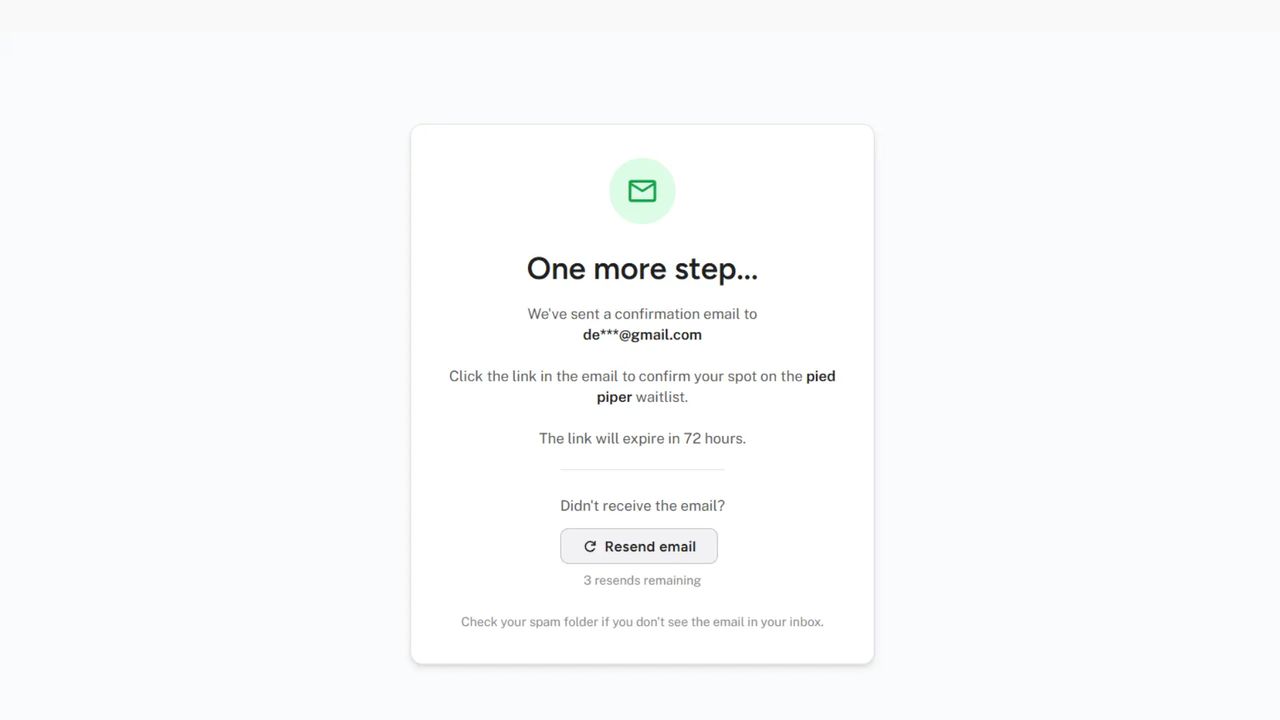
User sees the "check your email" page
A clean pending page shows their masked email, the expiration time, a "Resend email" button (up to 3 resends), and a spam-folder reminder. No dead end — they know exactly what to do.
User clicks the confirmation link
One click confirms their email. Consent is documented with a timestamp. The link expires after your configured window (12–168 hours, default 48).
Subscriber joins the waitlist
Position is assigned, welcome email is sent (if enabled), referral link is activated, and the subscriber sees the thank-you page. Everything downstream works normally — they just had to verify first.
Get started for free
Start building your waitlist with Waitlister and get the most out of your pre-launch campaign
Before choosing Waitlister, I compared several alternatives. Honestly, Waitlister stands far ahead. The product is more intuitive, faster to set up, and clearly built with real attention to detail.
Works with every Waitlister feature
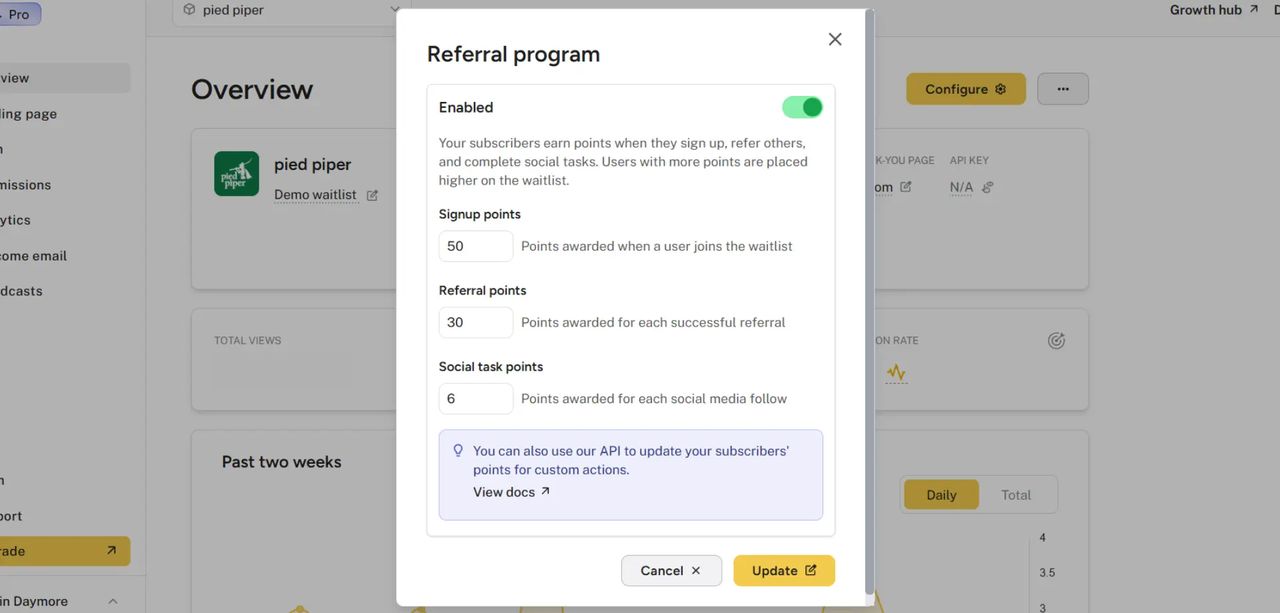
Referrals require confirmed emails
Referral credit is only awarded after the referred user confirms their email. This means someone can't submit 50 fake emails to farm points — each one would need to be confirmed from a real inbox. Double opt-in and fraud detection work together.
Customizable confirmation email
Full control over the confirmation email: subject line, body copy, confirm button text and color, background color, and template variables. Uses your custom email domain if configured. Confirmation emails are also translated when using multilingual support.
Double opt-in across
waitlist tools
| Feature | Waitlister | GetWaitlist | Viral Loops | LaunchList | Prefinery |
|---|---|---|---|---|---|
| Double opt-in | |||||
| Customizable confirmation email | Pro plan | Limited | |||
| Configurable link expiration | 12-168 hrs | ||||
| Resend button on pending page | |||||
| Translated confirmation emails | 30+ languages | Manual | Manual | 17 languages | Manual |
| Referral credit after confirmation | |||||
| API support (pending status) | |||||
| Starting price (plan with this feature) | $19/mo | $15/mo | $229/mo | Free plan | $39/mo |
Based on publicly available documentation as of April 2026 (LaunchList and Viral Loops updated October 2026). "Starting price" reflects the lowest plan at which the feature is available — Viral Loops double opt-in requires the Growing plan ($229/mo month-to-month). LaunchList includes double opt-in on every plan, including Free. Waitlister double opt-in is available from the Launch plan ($19/mo).
With double opt-in enabled, Waitlister documents explicit consent for every subscriber — they clicked a confirmation link, from their own inbox, at a recorded timestamp. This satisfies the consent requirements under GDPR (EU), CAN-SPAM (US), and CASL (Canada).
Waitlister also supports custom email domains (so emails come from your domain, not a third party) and provides an unsubscribe mechanism in every broadcast.
Some users won't complete the confirmation step — expect a 10-30% drop in raw signups. But the subscribers who do confirm are genuinely interested, have working email addresses, and are more likely to open your emails, refer friends, and convert. For most waitlists, the quality improvement more than compensates for the quantity drop. If you're running a time-sensitive campaign and need maximum volume, you can keep it disabled and rely on fraud detection instead.
Yes — and they complement each other. Referral credit is only awarded after the referred user confirms their email. This means someone can't submit 50 fake addresses to farm points; each one would need a real inbox to click the confirmation link.
Combined with device-fingerprint fraud detection, this makes your referral leaderboard very hard to game.
Yes, fully. You control the subject line, email body, confirm button text and color, background color, sender name, and reply-to address. Template variables are available for subscriber name, email, product name, confirmation link, and expiration time.
If you have a custom email domain configured, confirmation emails are sent from your domain automatically.
Configurable from 12 to 168 hours (default: 48 hours). If a link expires, the user can simply sign up again to receive a fresh confirmation email. Shorter windows (24-48 hours) create urgency and keep your list fresh; longer windows (72-168 hours) accommodate users who check email infrequently.
Yes. The API returns an 'is_pending_confirmation' field when double opt-in is enabled, so your frontend knows to show a 'check your email' message. The form action endpoint handles it automatically — standard form submissions redirect to the confirmation pending page, AJAX submissions return the pending status as JSON.
Yes. When you translate your waitlist to another language, the confirmation email is sent in the configured language. This means a French waitlist sends French confirmation emails, a Japanese waitlist sends Japanese confirmation emails, etc. No manual email translation needed.
No. Double opt-in is included on the Launch plan ($19/mo) and above. No per-email fee, no add-on pricing.
Get started for free
Start collecting sign ups for your product launch in minutes — no coding required.
Get started